
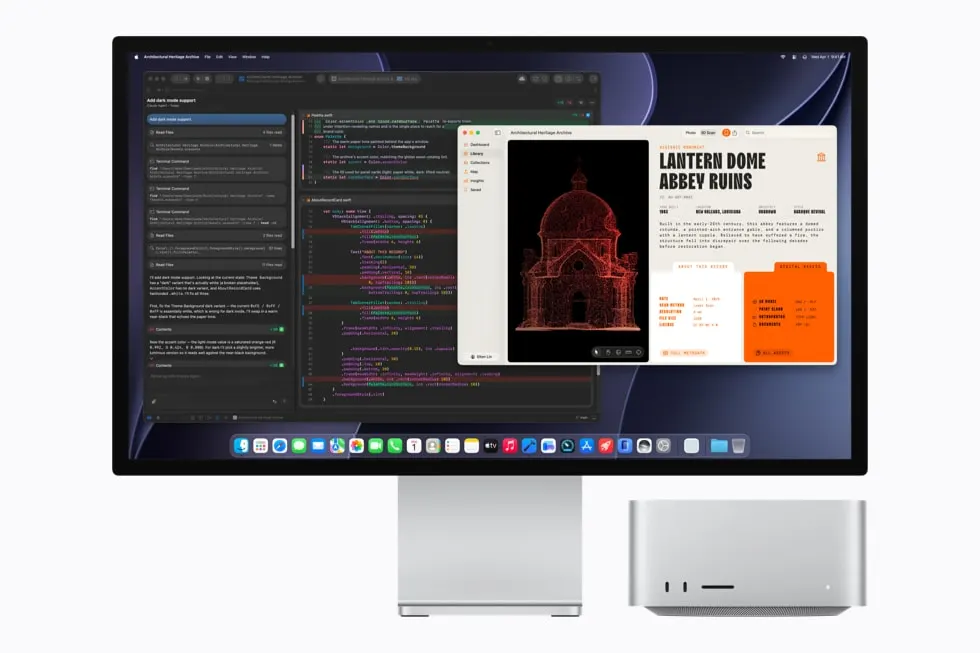
Apple announced the M5 Max and M5 Ultra Mac Studio on August 25 with a specification likely to catch the attention of people running local AI models: up to 512GB of unified memory. The maximum configuration was scheduled for late October, later than the September 22 arrival of the wider range.
The launch release put U.S. starting prices at $2,499 for M5 Max and $5,499 for M5 Ultra. Those are starting configurations. They should not be read as the price of the largest memory option.
The largest memory configurations suit workloads that exceed the capacity of a smaller machine. Whether they are worth the extra cost depends on the application and project.
Capacity and speed need separate tests
Memory capacity determines whether a project can remain available to the machine in the way its software needs. It does not, by itself, tell a buyer how quickly that project will finish.
For local AI, the useful test includes the intended model, its settings, the amount of context, and the number of people or processes using it. A demonstration with one short prompt cannot establish performance for a long document or a busy shared service.
Apple described the M5 Ultra configuration with up to a 36-core CPU and an 80-core GPU. Its performance comparisons were company benchmarks. A purchase decision should put the actual application and configuration beside any speed claim.
Apple's technical specifications put the base configurations in context. M5 Max starts with 36GB of unified memory, while M5 Ultra starts with 96GB. The listed 256GB and 512GB options require the 36-core CPU and 80-core GPU Ultra configuration. A buyer choosing that memory is therefore selecting a particular chip configuration as well as extra capacity.
A complete specification includes chip and core counts, memory, internal storage and external drives. A demonstration on the maximum Ultra does not establish how the base Max performs, even when both carry the Mac Studio name.
If the existing project fits comfortably, ask what result would justify the extra expenditure. If it does not fit, identify how far short the current system is before assuming the largest available configuration is necessary.
Price the desk around it
A desktop budget extends beyond the computer. Someone moving from a laptop may need a display, keyboard, pointing device, or a different storage arrangement. A studio with existing equipment may need none of those.
Working-file storage needs sufficient read speed for the project, along with a way to restore files after a drive failure. Those costs remain separate from the processor and memory choice.
Put the configurations beside the calendar
| Choice announced August 25 | U.S. starting price | Timing given by Apple |
|---|---|---|
| M5 Max Mac Studio | $2,499 | September 22 availability |
| M5 Ultra Mac Studio | $5,499 | September 22 availability |
| Maximum 512GB memory configuration | Starting price above does not price this upgrade | Late October |
The Ultra's starting price was $3,000 above the Max's. Treat that difference as the beginning of the configuration comparison. Ask for a complete quote with the memory and storage selected, then compare the quoted system with the one used in the demonstration.
For a business, ask the software vendor or reseller to demonstrate a representative project on the proposed configuration. Keep the same source files and settings when comparing systems. Record export time, responsiveness during the task, and memory use. Those observations produce a more useful configuration decision than selecting the largest number in the order form.
Memory headroom and connections
For a hypothetical project that needs 80GB while its main task runs, a 96GB configuration leaves 16GB before accounting for the operating system and other software. A 128GB configuration leaves 48GB on the same simple subtraction. These are capacity examples, not measurements of an application or guarantees that either machine can run a particular model. Actual allocation, software overhead and concurrent tasks affect what fits. The project's memory requirement needs to be measured in the configuration being proposed.
Apple lists a connection difference that can also matter at the desk. The Max has two front USB-C ports rated up to 10Gb/s, while the Ultra's two front ports support Thunderbolt 5 up to 120Gb/s. Both have an SDXC UHS-II slot. A connector's shape alone therefore does not identify its supported connection speed. A buyer who regularly connects fast external storage at the front should compare that port specification as well as memory capacity.
Those figures are connection limits, not a guarantee of a drive's transfer rate. The storage device, enclosure, cable and workload also belong in that comparison. Buying more unified memory cannot change the supported protocol of a port.